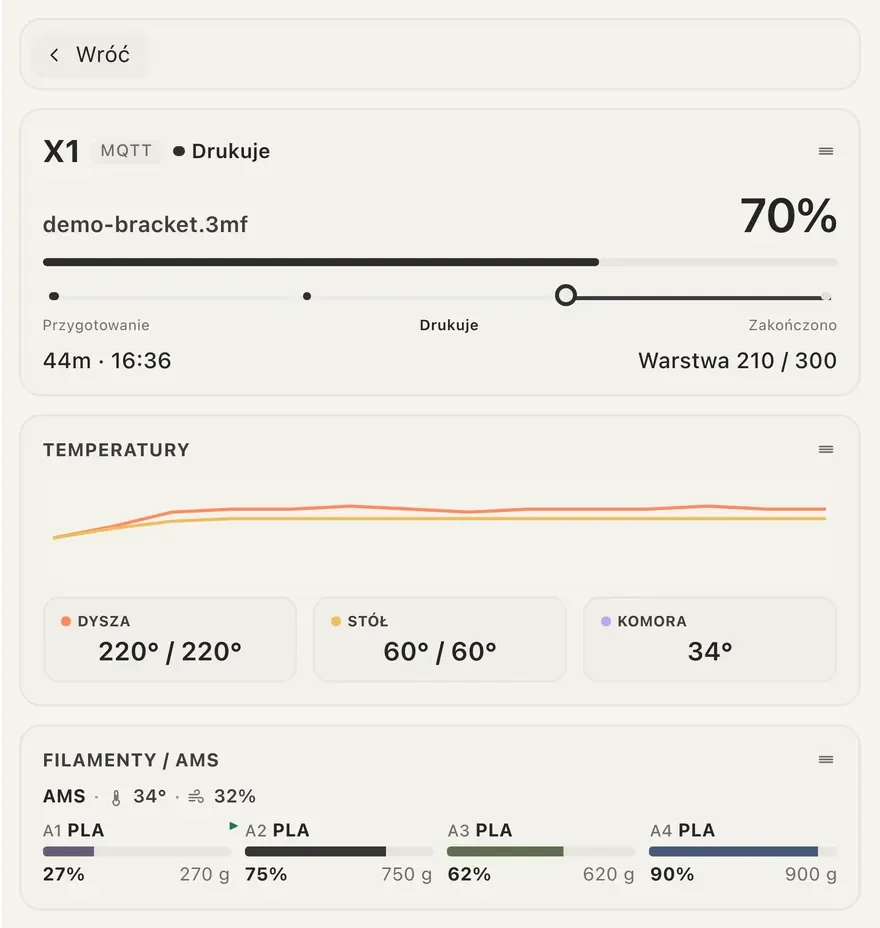
All printer data sits in one place
Details show the nozzle, bed and chamber temperatures and the filament in each AMS slot. You arrange the sections in the order that suits your work.
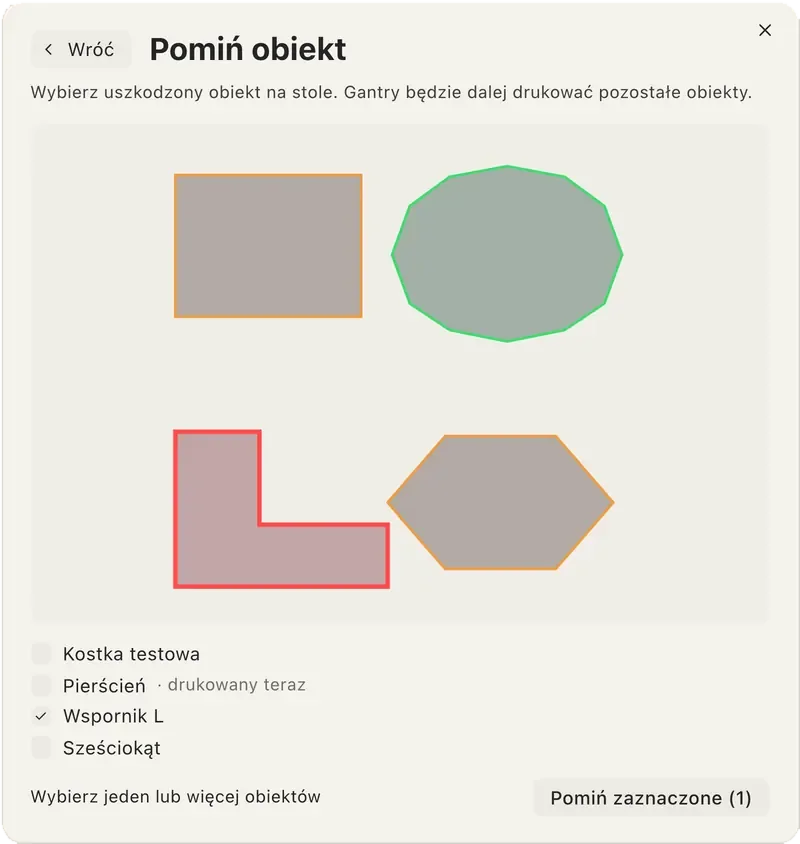
Skip a failed object and the rest keeps printing
Pick the damaged object on the bed and Gantry prints the others. This works on supported Bambu Lab and Klipper printers, and you turn control on in settings.
Frequently asked questions
Does skipping an object stop the whole print?
No. The other objects keep printing.
Which printers can skip objects?
Supported Bambu Lab and Klipper printers.
Is control turned on by default?
No. You turn control on in Gantry settings, and Bambu Lab printers need LAN-only and Developer Mode for it.

Download Gantry for free
The app runs on macOS, Windows and Linux, with no Gantry account and open source code.