The Farm sends one file to several printers
The library keeps files by printer family, and you pick materials from the AMS. Before the start, “Check selection” shows whether everything matches.
The queue starts the next copy only after you confirm the bed is empty.
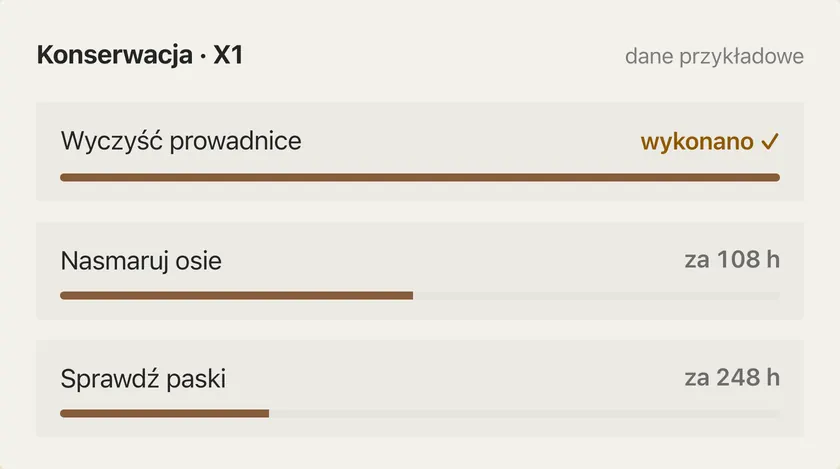
Maintenance reminds you about service
Rails, axes, belts and the nozzle get reminders based on print hours. You can mark a printer “In service”, report problems with a photo and a priority, and keep parts in stock with a minimum level.
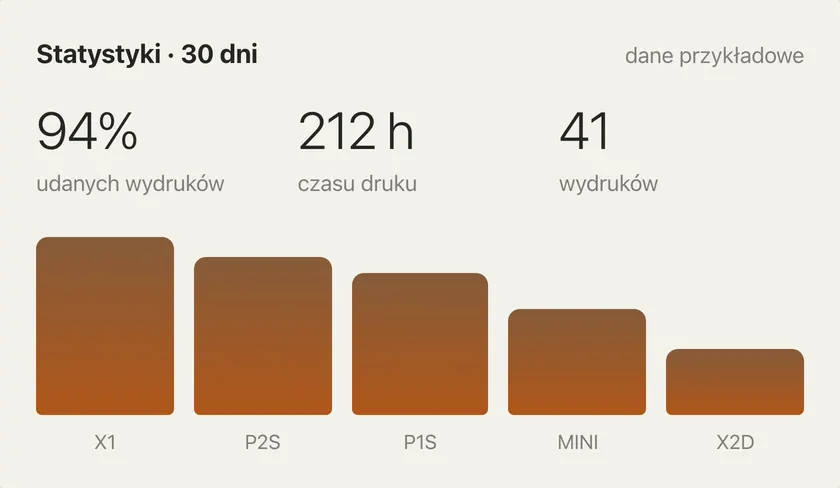
Statistics show how the whole fleet is doing
You see working time, finished prints and success rate, and you can save the data to a file.
Frequently asked questions
Do further copies start on their own?
The next copy starts only after you confirm the bed is empty.
Do I have to turn on every module?
No. You turn most fleet tools on separately, when you need them.

Download Gantry for free
The app runs on macOS, Windows and Linux, with no Gantry account and open source code.